Edit note title
1. Overview
The Edit Title feature allows you to quickly and easily modify the title of a note. This tool helps you update or rename the title to better reflect the content, making it easier to manage and search your notes.
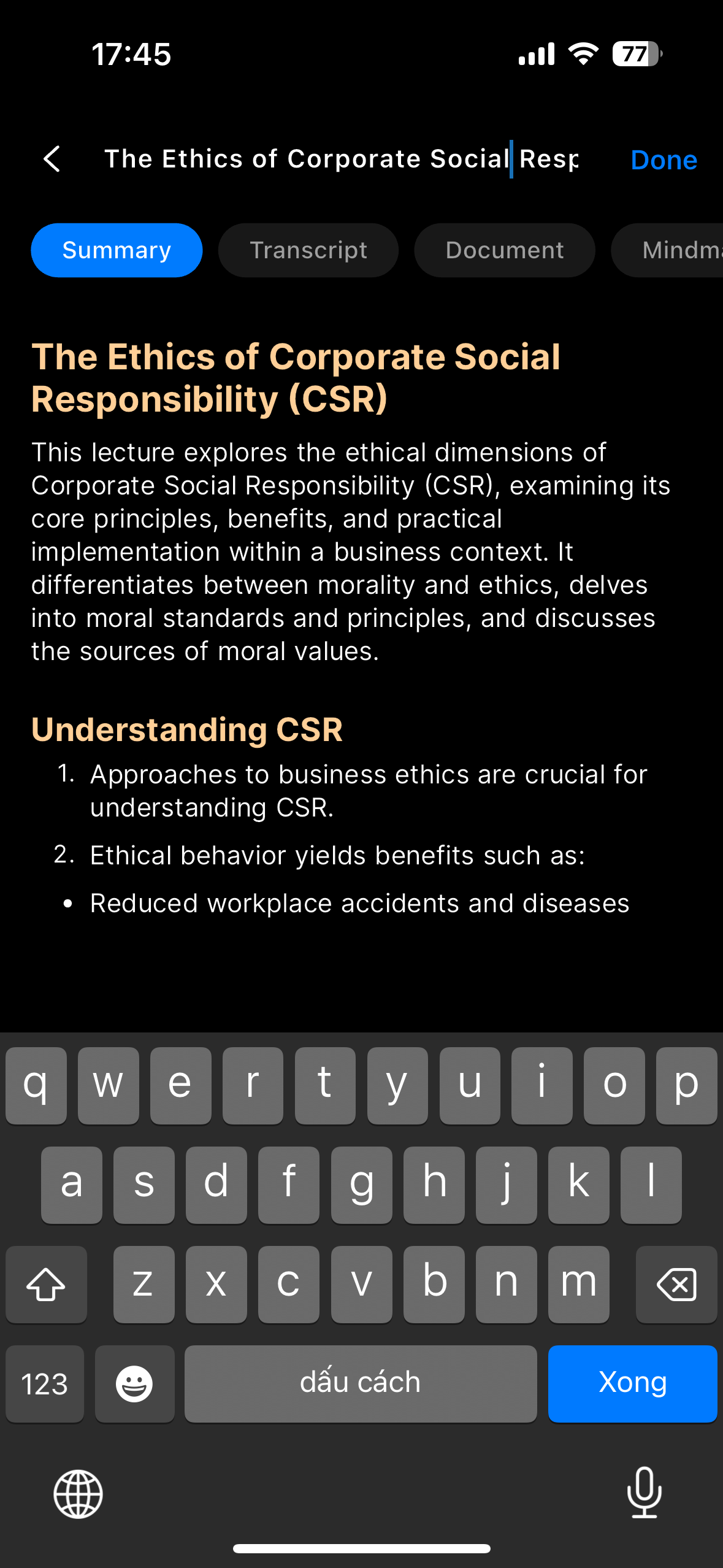
Edit the note title to keep your notes clear.
2. How to Use
- Open the note you want to edit the title for.
- Click on the current title.
- Enter the new title in the input field.
- Press Done to save the changes.
3. Benefits
- Quick updates: Change titles to match new content or usage purposes.
- Effective organization: Helps you categorize and find notes more easily.
- Flexible customization: You can edit the title anytime.
4. Notes
- Titles should be short and clear for easier reference.
- Some systems may limit the number of characters allowed in a title.
- Changing the title does not affect the content inside the note.
5. FAQ
Can I change the title of any note?
Yes, you can edit the title of any note at any time.
How do I edit a note's title?
Open the note, click on the current title, enter a new title, then press Done to save.
Are there any character limits for titles?
Some systems may impose character limits; try to keep titles concise and clear.
Does changing the title affect the note content?
No, editing the title only changes the label and does not alter the note content.
Can I revert to the old title after changing it?
There is no automatic undo for title changes; you can manually change it back if needed.
Will the updated title appear everywhere immediately?
Yes, the new title is updated instantly across your app and synced devices.
Can titles contain special characters or emojis?
This depends on the system's input rules; generally, simple text is recommended for clarity.
What if I accidentally leave the title blank?
Most systems will require a non-empty title; if left blank, it may revert to the previous title or prompt you to enter a valid one.
Can I use the Edit Title feature offline?
Usually, yes. Changes will sync once internet connection is restored.
What if the title does not update?
Try refreshing the app or restarting. If the issue persists, contact support.