Podcast
The Podcast feature in NoteX allows you to automatically turn any note, text, PDF, or transcribed audio into professional-quality podcast episodes.
You can choose from multiple voices and characters to simulate natural interviews or dialogues. Podcasts can also be combined with flashcards and quizzes to support learning anytime, anywhere.
Key Benefits:
- Convert notes into podcast audio with just one click.
- Supports multiple voices and characters for realistic dialogues.
- Listen anytime, anywhere – while driving, walking, or exercising.
- Boosts language learning and memory retention.
1. UI/UX Specification
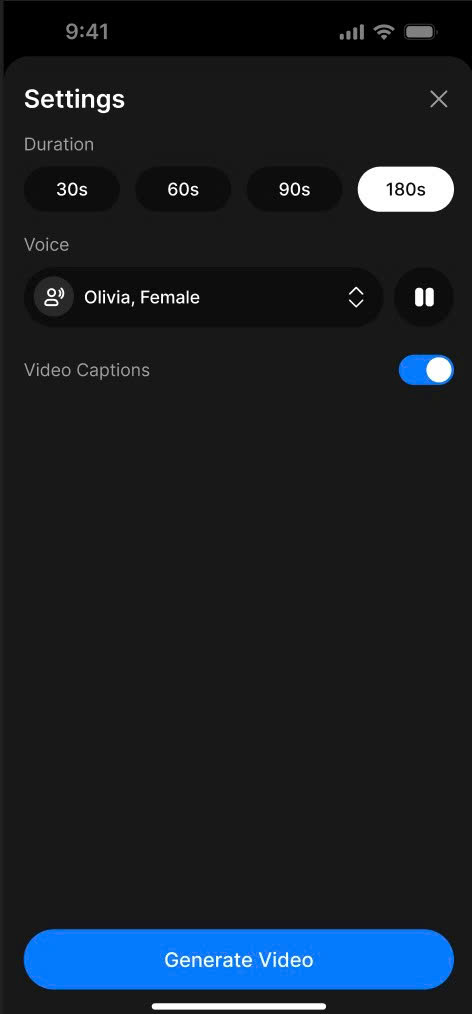
Podcast Create
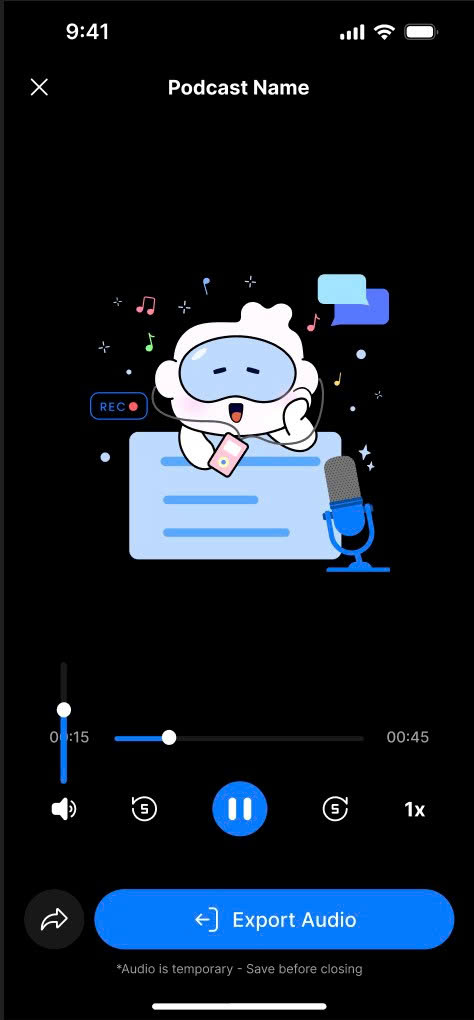
Podcast Detail
2. How to Use
Create a Podcast Episode
- Open the Note Detail page and switch to the Podcast tab.
- Tap the Create Podcast button.
- A Bottom Sheet will appear.
- Choose the following:
- Audio length: 30s, 60s, 90s, or 180s.
- Voices and characters (e.g., one asking questions, one responding).
- Tap Generate Audio to let the system create your podcast.
- Wait for the AI to process and generate the episode.
Download the Podcast File
- After the podcast is generated, the Podcast Detail screen will appear.
- Tap the Export Audio button.
- A Bottom Sheet will open — choose the save location and complete the download.
3. Notes & Tips
- You can use multiple voices and assign different characters to make the podcast more dynamic.
- AI-generated voices are optimized to sound natural, perfect for language learning or entertainment.
- Combine podcasts with flashcards or quizzes for deeper learning and better memory retention.
- You can listen directly on NoteX or download the podcast to listen offline.
- Try short formats first (e.g., 60s) to test different voice styles and pacing.
4. FAQ
Can I create a podcast with multiple characters and voices?
Yes, NoteX allows you to choose multiple voices and assign them to different roles in the podcast.
Can I combine a podcast with flashcards or quizzes?
Absolutely! This makes the podcast more interactive and improves recall and reflexes during learning.
Can I download the podcast after it's created?
Yes, just tap on Export Audio and choose where to save it on your device.
Can I listen to the podcast directly in NoteX?
Yes, you can stream the podcast in the app or download it for offline listening.
Do I need to edit the audio manually?
No. All audio processing and editing are handled automatically by NoteX AI.